Business panel
The website is chapter one. The panel is where you run the business.
From the same account your website lives on, you answer enquiries, keep clients and appointments in order, and send proposals and bills. Appointment and payment reminders go out on their own. No developer, no training.
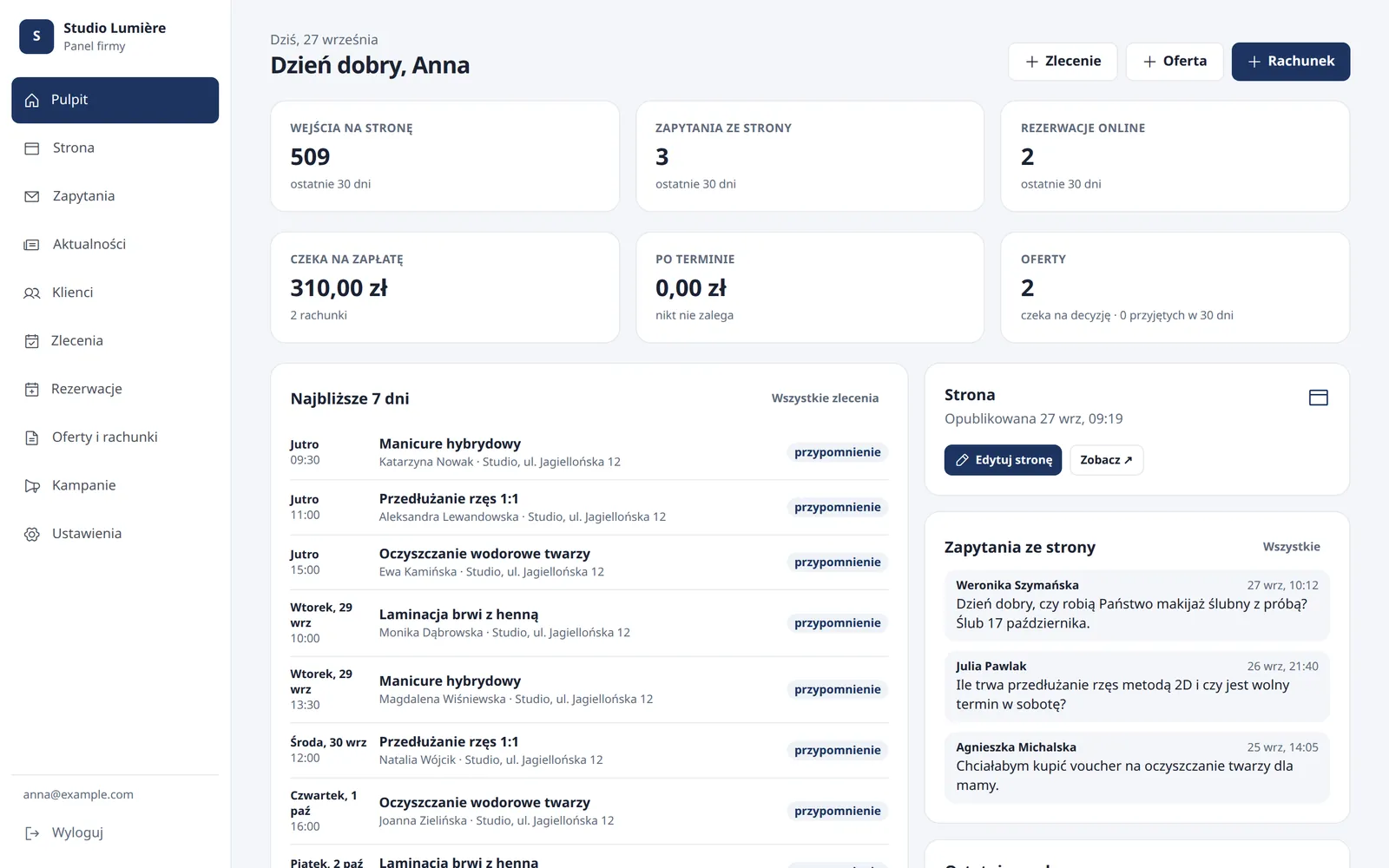
One case, one place
From enquiry to paid bill, without retyping anything.
-
01
Enquiry
A client writes through the form or books a slot on the website. The message lands in the panel and in your inbox.
-
02
Client
One click turns the enquiry into a client card: contact details, notes, consent to messages and job history.
-
03
Appointment
A job with time, duration and amount. Bookings from the website arrive here by themselves, never double-booked.
-
04
Proposal and bill
A PDF with your and the client’s details, sent by e-mail. The client accepts a proposal by link; the bill carries a QR code for the transfer.
-
05
Reminder
The day before the appointment and after the payment due date, the e-mail goes out on its own. You do not have to remember.
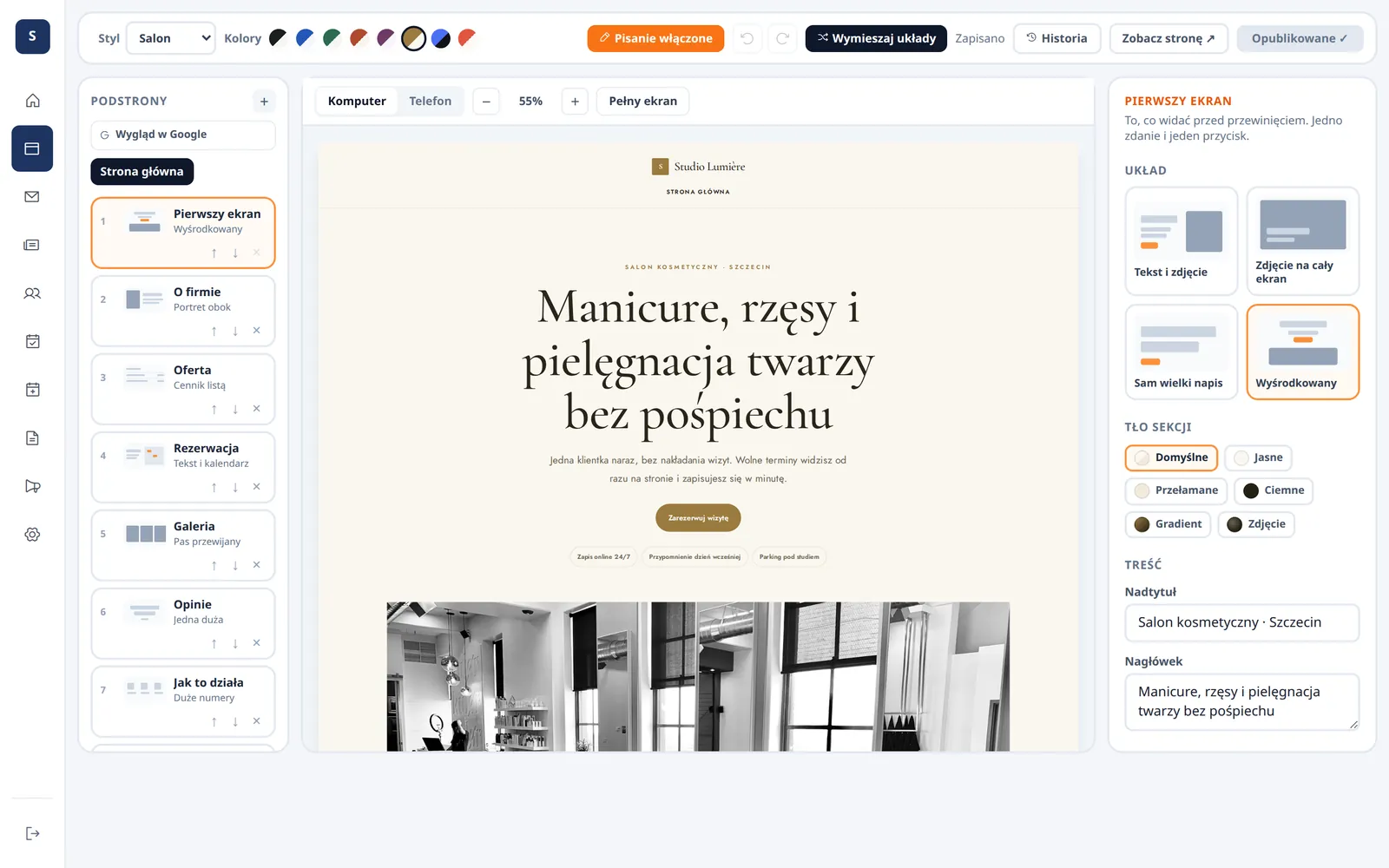
Website
You edit your website the way you fix a slide deck.
Click the text on the page and type. Paste or drag in a photo. Changes save themselves, and “Publish changes” puts them live on your address right away.
- Undo up to 50 steps and a history of the last 20 publications
- Sections added in one click: booking, map and hours, video, news
- Google title and description for every page
- Privacy policy and imprint generated from your business details
- Your own domain and a visit counter
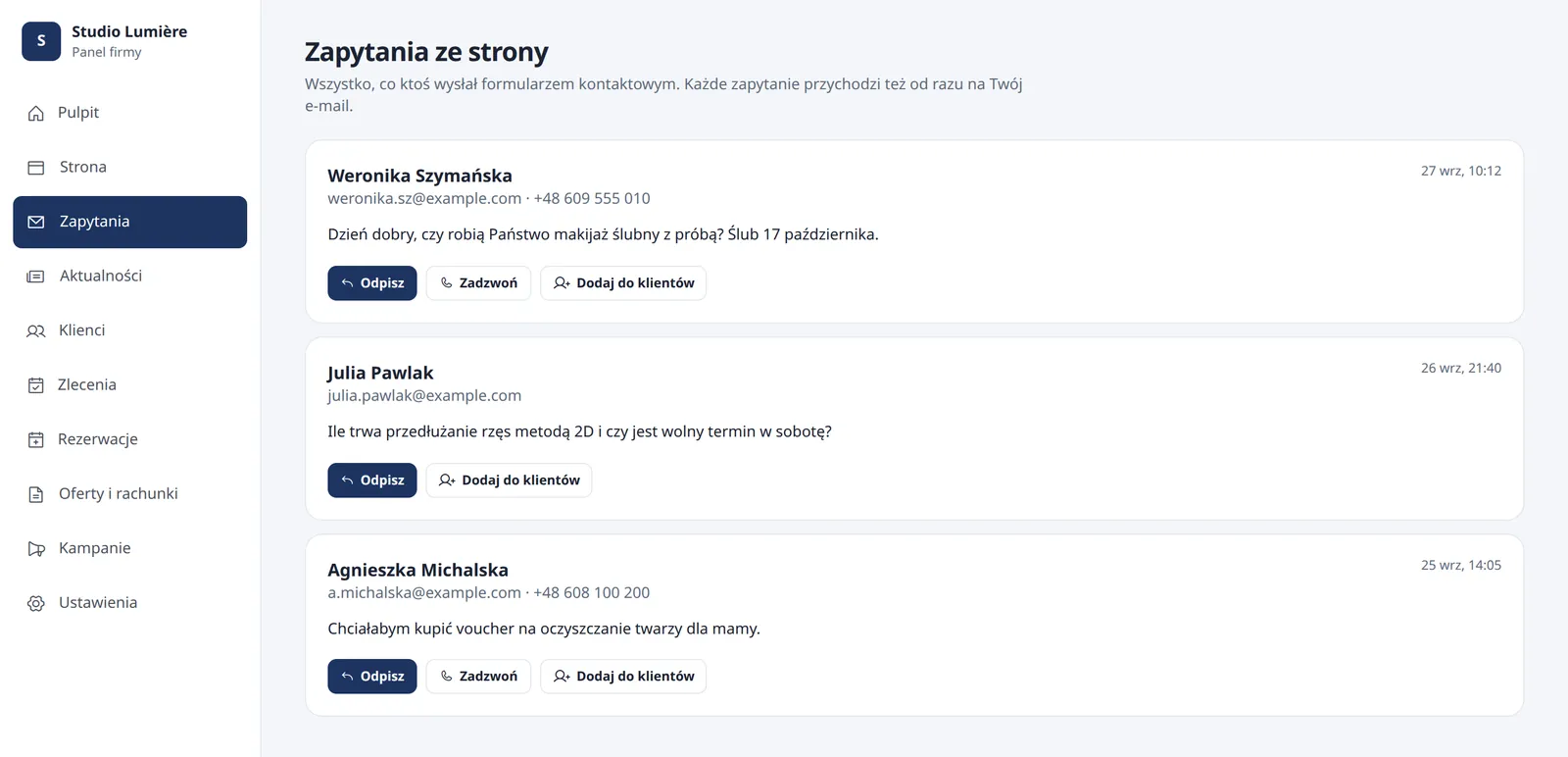
Enquiries and clients
Every enquiry has its place and a next step.
Form messages do not get lost in your inbox. You see who wrote, when and about what, and one click adds that person to your clients.
- Reply or call straight from the enquiry list
- Client card with notes and job history
- Consent to messages stored with the client, not in your head
- Search by name, company and phone
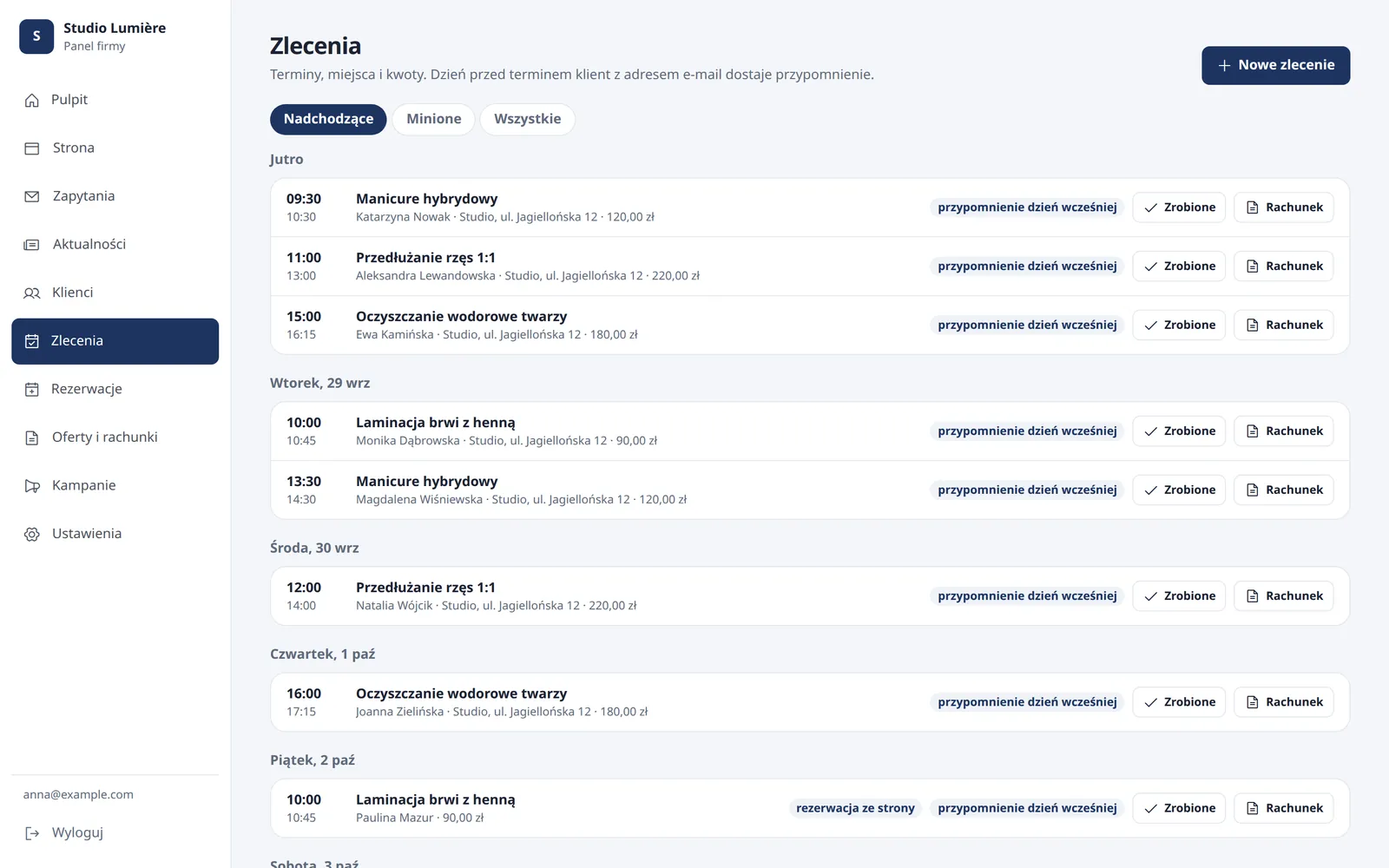
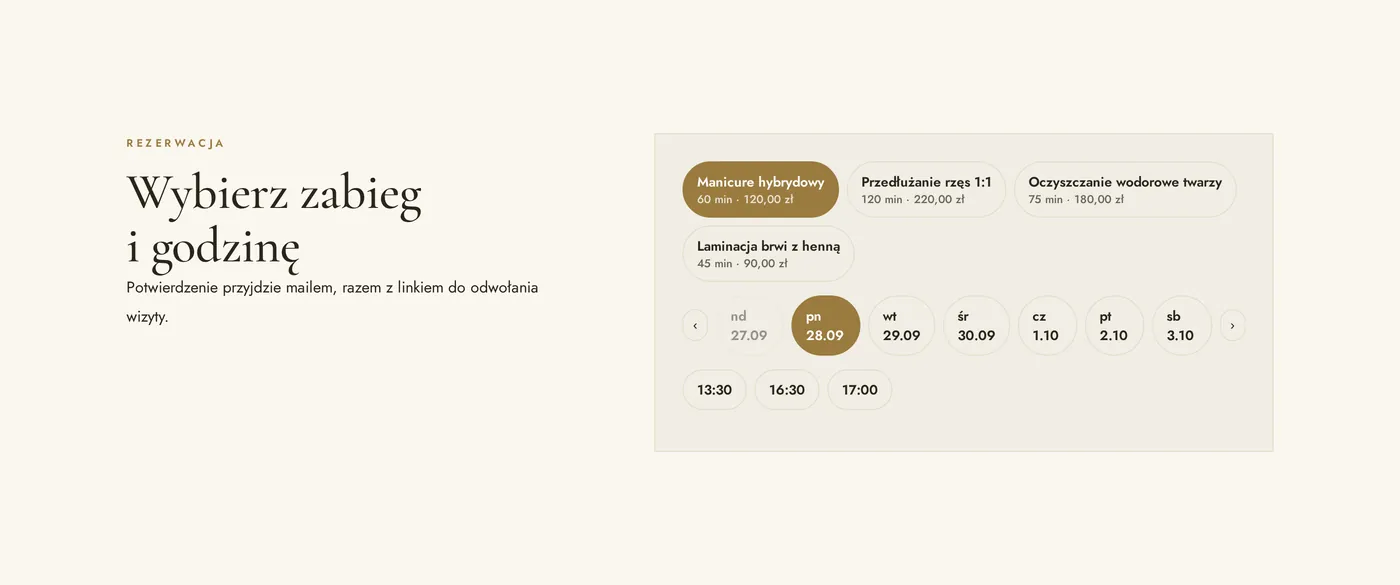
Jobs and bookings
Appointments that look after themselves.
Clients pick a service, day and time on your website. The visit lands in your jobs and the client gets a confirmation with a cancellation link. You decide when you work and how long each service takes.
- Services with duration and price
- Working hours, a break after each visit, days off and public holidays
- Nobody can book a slot that is already taken
- Turn a finished job into a bill with one click
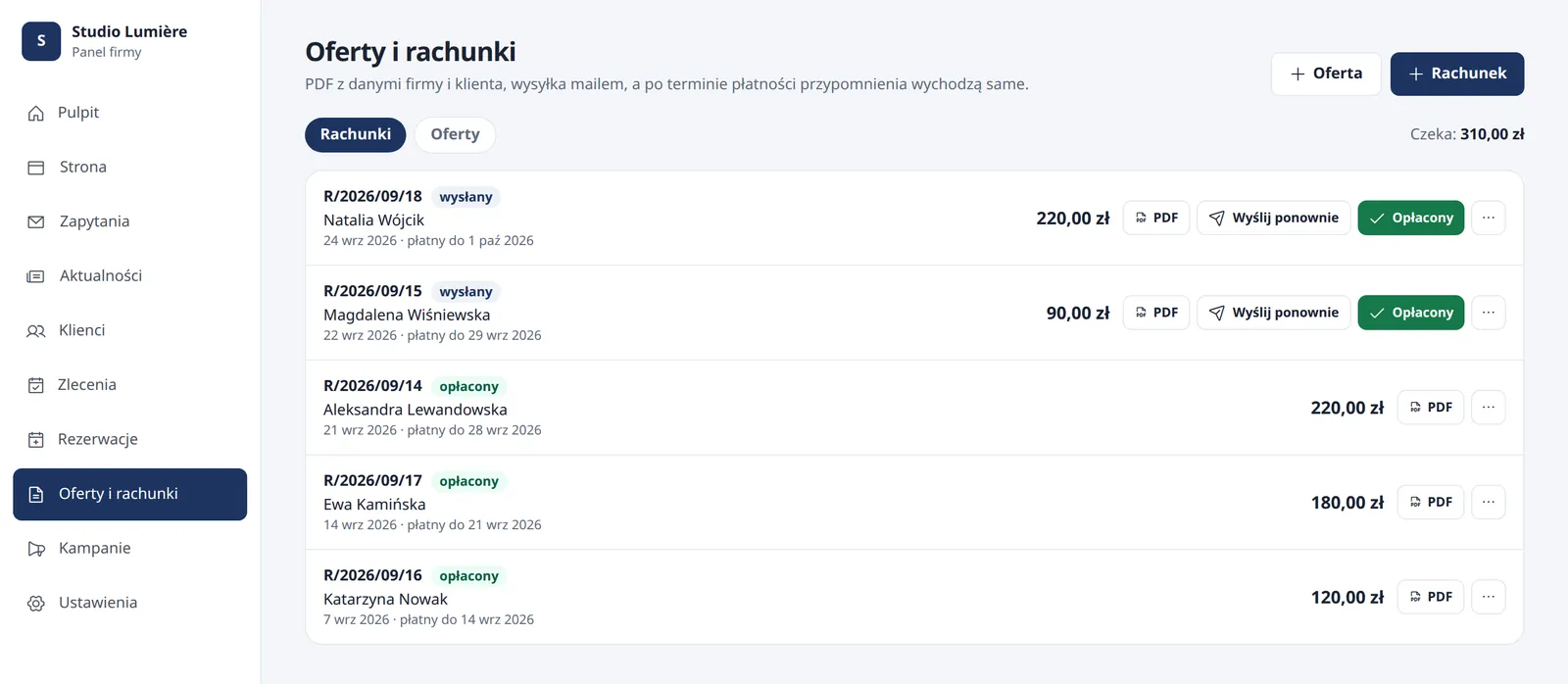
Proposals and bills
Proposals and bills as PDF, sent from the panel.
Number, business and client details, items and payment due date fill themselves in. The client gets an e-mail with the PDF, accepts a proposal by link, and you turn an accepted proposal into a bill.
- QR code for the bank transfer and a “Pay online” button with your own payment link
- The dashboard shows what is waiting to be paid and who is overdue
- Documents in Polish, German or English
- Bills for businesses outside VAT; VAT invoices stay in your accounting software
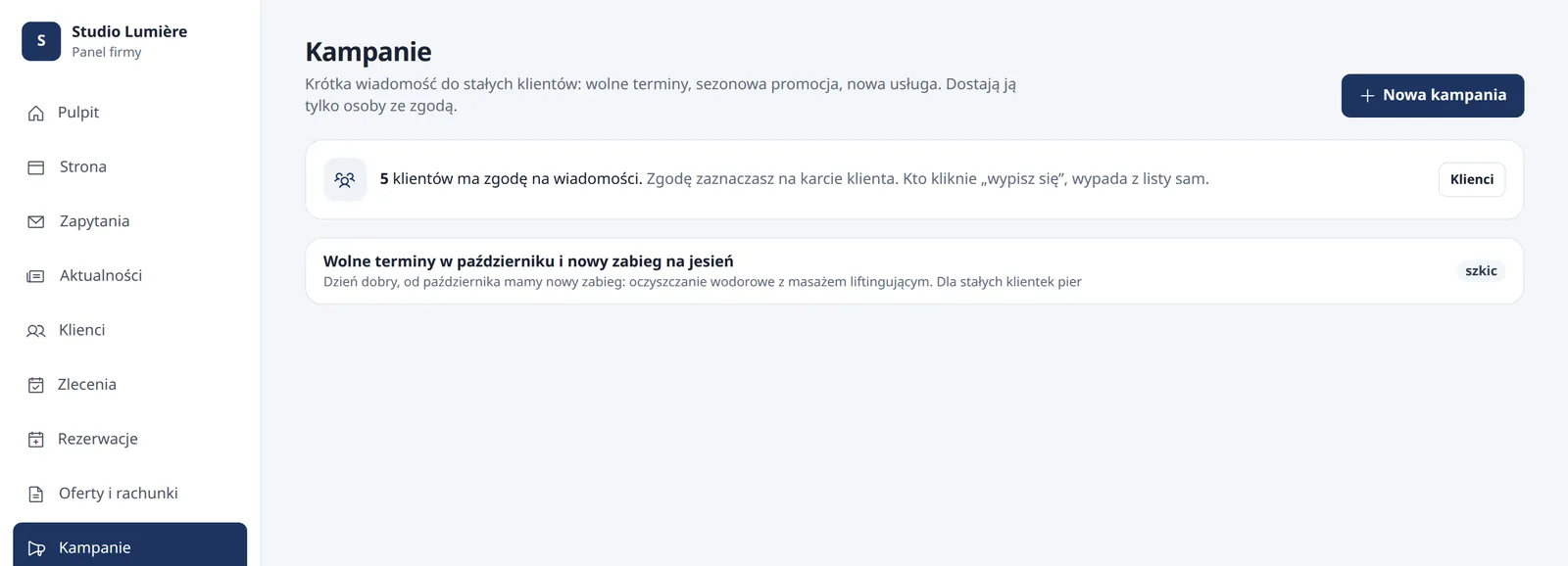
Reminders and campaigns
E-mails you no longer have to remember.
The day before a visit the client gets a reminder, and after the due date a polite note about the bill. On the first day of each month you get a summary of what the website and panel did for you.
- A message to regular clients who agreed to receive it
- An unsubscribe link in every message
- News for your website written in the panel like a short post
Screenshots from the working panel, with sample data. The panel interface is currently in Polish; your website, documents and e-mails to your clients are in English.
Simple by design
As many features as you need. Not one more.
Only your tabs
I switch modules on one by one. If you do not take bookings, you will not see them in the menu.
No training
Each tab does one thing. You fix text on the website right where you see it.
Works on your phone
Open the panel in your phone’s browser, no app to install.
Nothing gets lost
Automatic saving, undo and a publication history for your website.
Your data is yours
Download clients, jobs and documents as CSV or JSON at any time.
Each business separate
You sign in to your own account with a password and see only your business data.
Questions
Before you ask
Do I need all modules from day one?
No. Every website comes with editing and enquiries in the panel. Clients, bookings, proposals and bills, reminders and campaigns I switch on when you need them.
Does a client need an account to book?
No. They pick a service and a time and enter a name and e-mail. The confirmation with a cancellation link arrives by e-mail.
Does the panel issue VAT invoices?
No. The panel issues proposals and bills. If you are VAT-registered, you issue the invoice in your accounting software and run the rest of the case in the panel.
Can the website run on my own domain?
Yes. I connect your domain and you keep editing the website in the panel.
What happens to my data if I leave?
You download clients, jobs and documents as CSV, or everything as JSON. The data is yours.
Start with the website. The panel comes with it.
Build a demo in the configurator and see your website in a minute. If you want to talk about bookings, proposals or bills right away, tell me how you work today.